
Phone and tablet
Undermine Squad also runs on phones and tablets. The game detects the device and shows the matching controls. Digging, physics and the double actions work exactly as with a keyboard.
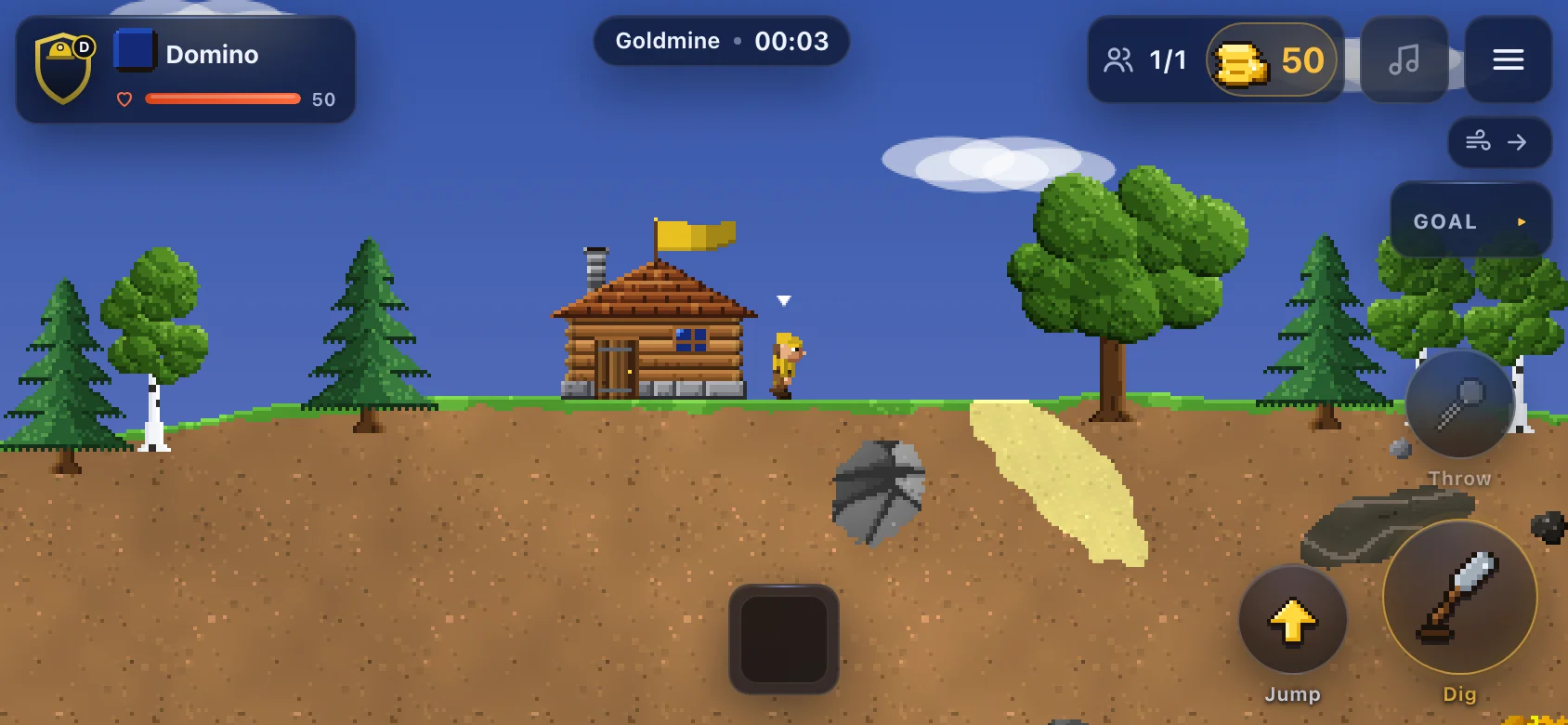
Hold the phone in landscape. In portrait the game asks you to rotate. If you stay in portrait anyway, the view gets smaller and the buttons sit below it.
Left thumb: the stick. Touch anywhere in the left half and the stick appears there.
- Drag left or right: walk.
- Swipe up: jump or enter a building.
- Drag down: stop or let go.
- While digging, the stick steers the digging direction in 45° steps, as in the original.
Right thumb: the buttons.
- Dig (the big gold button)
- Jump
- Throw (faded when the digger carries nothing)
- the context button. It only shows up when a double action is possible and says what it does: Chop at a tree, Build at a construction site, Grab at a lorry or catapult, Let go, or what an item can do, such as Open build menu for a construction kit.
In the field:
- Tap: the digger walks there.
- Double tap: the action at the target, such as digging there or fetching an item.
- Long press: the context menu.
- Two fingers: zoom and pan the camera. As soon as you control the digger again, the camera follows it.
Top left shows crest and energy, with the crew as a swipeable strip below. Top right shows crew, money and the menu. The goal is a small chip you tap to expand. Menus open full screen with large tiles.
Tablet
Section titled “Tablet”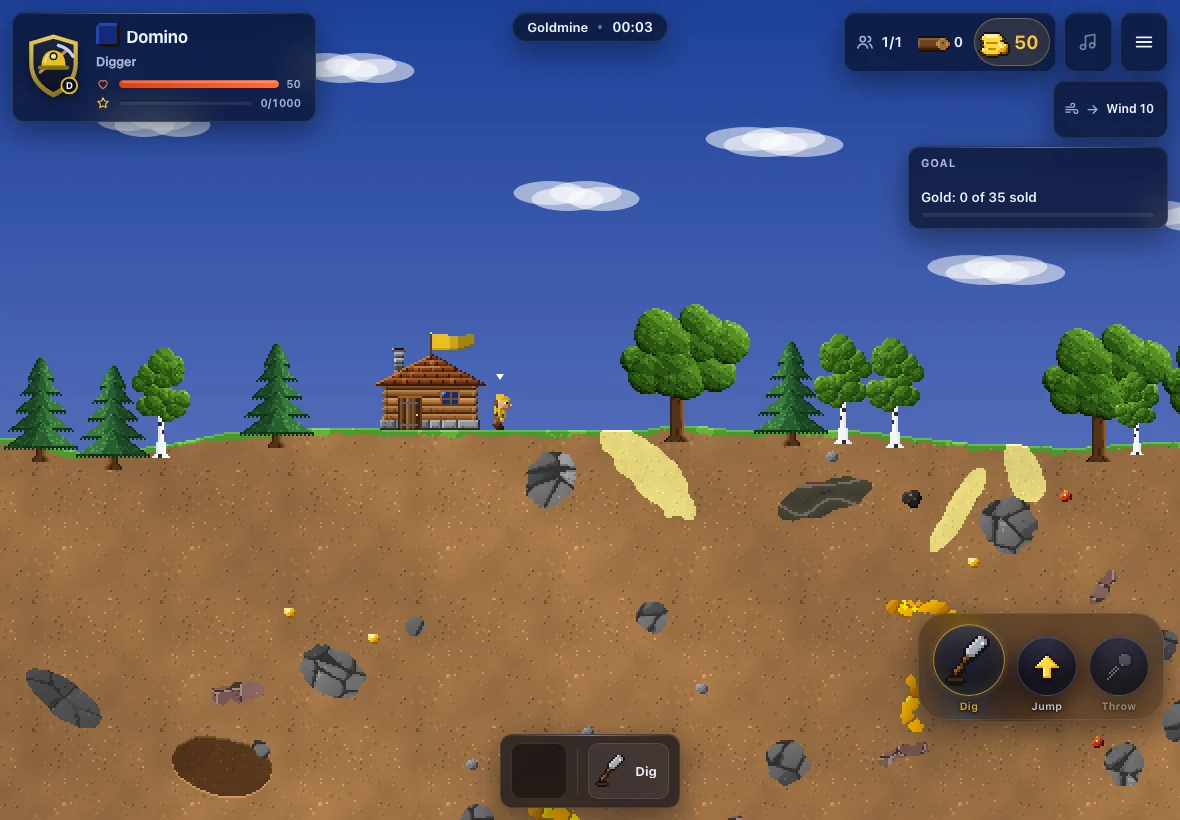
Tablets have more room, so you control the game directly in the field:
- Tap walks there, double tap chops, builds, picks up or digs there.
- Long press opens the context menu.
- Drag an item from the inventory into the field to throw it that way.
- A floating action bar bottom right has dig, jump, throw and the context button.
If you prefer the stick, turn on Stick on tablet in the settings.
Gamepad
Section titled “Gamepad”A connected gamepad works everywhere, including on a computer:
| Button | Action |
|---|---|
| Left stick, d-pad | walk, digging direction while digging |
| A | jump |
| X | dig |
| B | throw |
| Y | context (double action) |
| LB / RB | switch digger |
| Start | pause |
Choosing the device
Section titled “Choosing the device”In the settings, Device offers Automatic, Phone, Tablet and Keyboard and mouse. Below it the game shows what it detected. With a keyboard on a phone or tablet, the modern key layout always applies.
Installing as an app
Section titled “Installing as an app”Undermine Squad is a web app. You can add it to your home screen and then play full screen without the browser bar, even offline. The main menu has an Install as app button for this.
- iPhone and iPad (Safari): Share button, then Add to Home Screen.
- Android (Chrome): menu ⋮, then Install app or Add to Home screen.
Every device with pictures, including computers and Mac: Where can I play?
Undermine Squad 0.1 · „Clonk“ is a registered trademark of Matthes Bender. Undermine Squad is an independent game.